Issue #657 (Crowdstake Review, CSS/HTML, Testing, Vue Tools)02/19/26
The following is a paid product review for Crowdstake, an AI-powered pre-launch marketing tool for developers, designers, and builders.
Product launches for your side projects can be a challenge, especially in the current tech and SaaS market. Not only do you want a strong launch but you also want some lead-up to the launch itself, to help build anticipation while you're working on it. You might even want to validate an idea before you start building.
This is where a service like Crowdstake can prove valuable. Crowdstake offers a simple but advanced AI-powered toolset with the following workflow:
- Chat in natural language with an AI Marketing Consultant
- Provide all pertinent details on your product based on a series of inquiries from the AI Consultant
- Use the AI tools to generate, analyze, and customize your product's pre-launch landing page
- Crowdfund your prelaunch by collecting email addresses, prepayments, and reservations
The above steps enable you to grow a user base, collect payments, and host your pre-launch landing pages while you build your product. This is an effective method for potentially validating a new SaaS product before you even start building it.
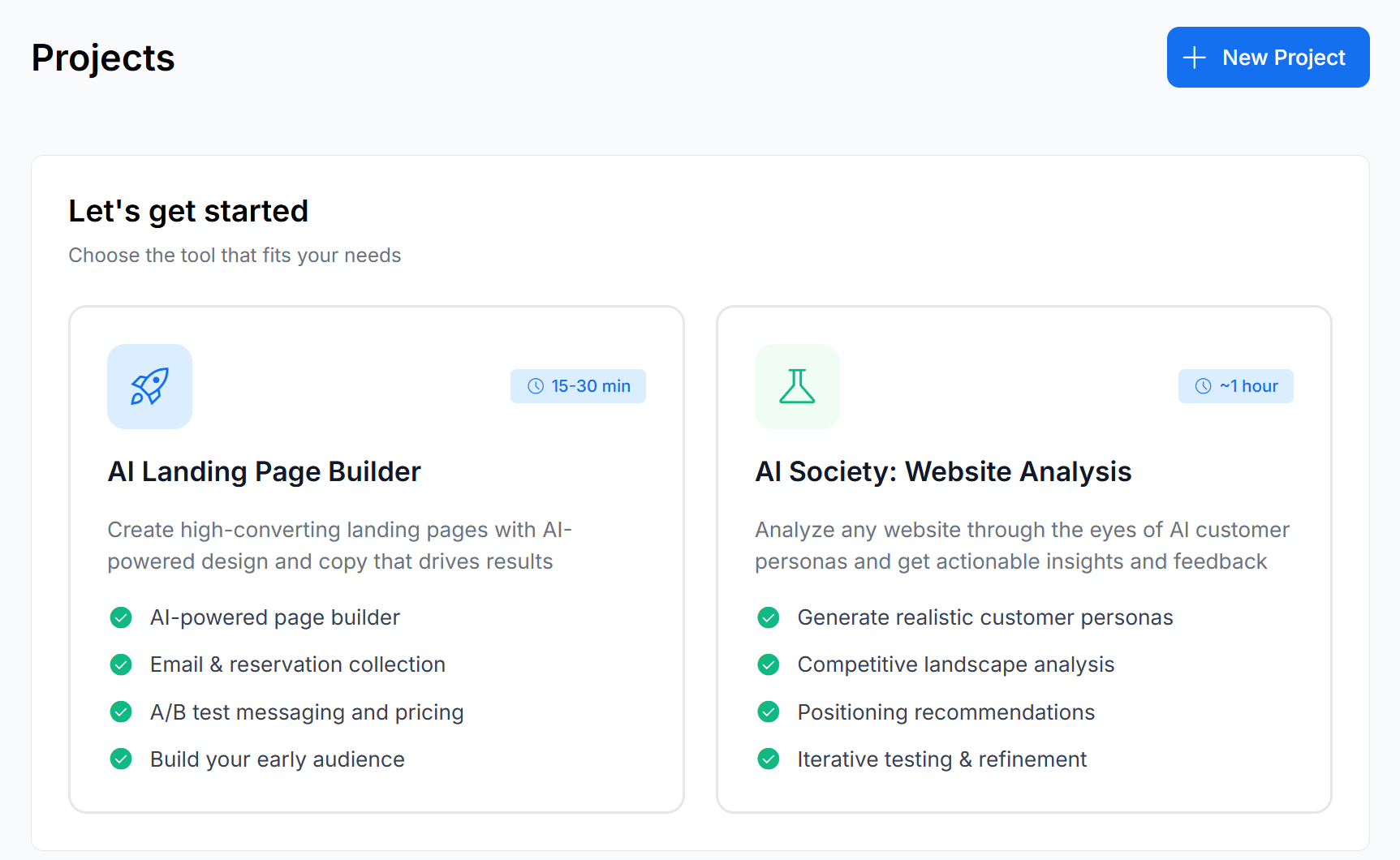
You can try out Crowdstake right away by signing up for the free plan and logging in to your dashboard. As soon as you log in, you'll see the two primary options available for projects, shown below.
Creating a project in the Crowdstake dashboard
As you can see, the two available tools enable you to either build a brand new landing page or analyze a current website. In this review, I'll focus on the Landing Page Builder.
Your AI Marketing Consultant
The value in Crowdstake's landing page builder is found in its marketing tools. As a developer or designer, you probably don't have a knack for good marketing, or the ability to consider all relevant scenarios for how to market your product. Crowdstake's Landing Page Builder offers AI insights to help you with messaging, positioning, pricing, and audience targeting – all the things you would probably prefer not to do yourself!
When you choose to create a new landing page, you'll enter an AI prompt where you'll be guided on a number of factors that will impact how the system will build your page. After a page is completed, you'll see something like the screenshot shown below, which summarizes all the pertinent areas that your AI Marketing Consultant took into consideration.
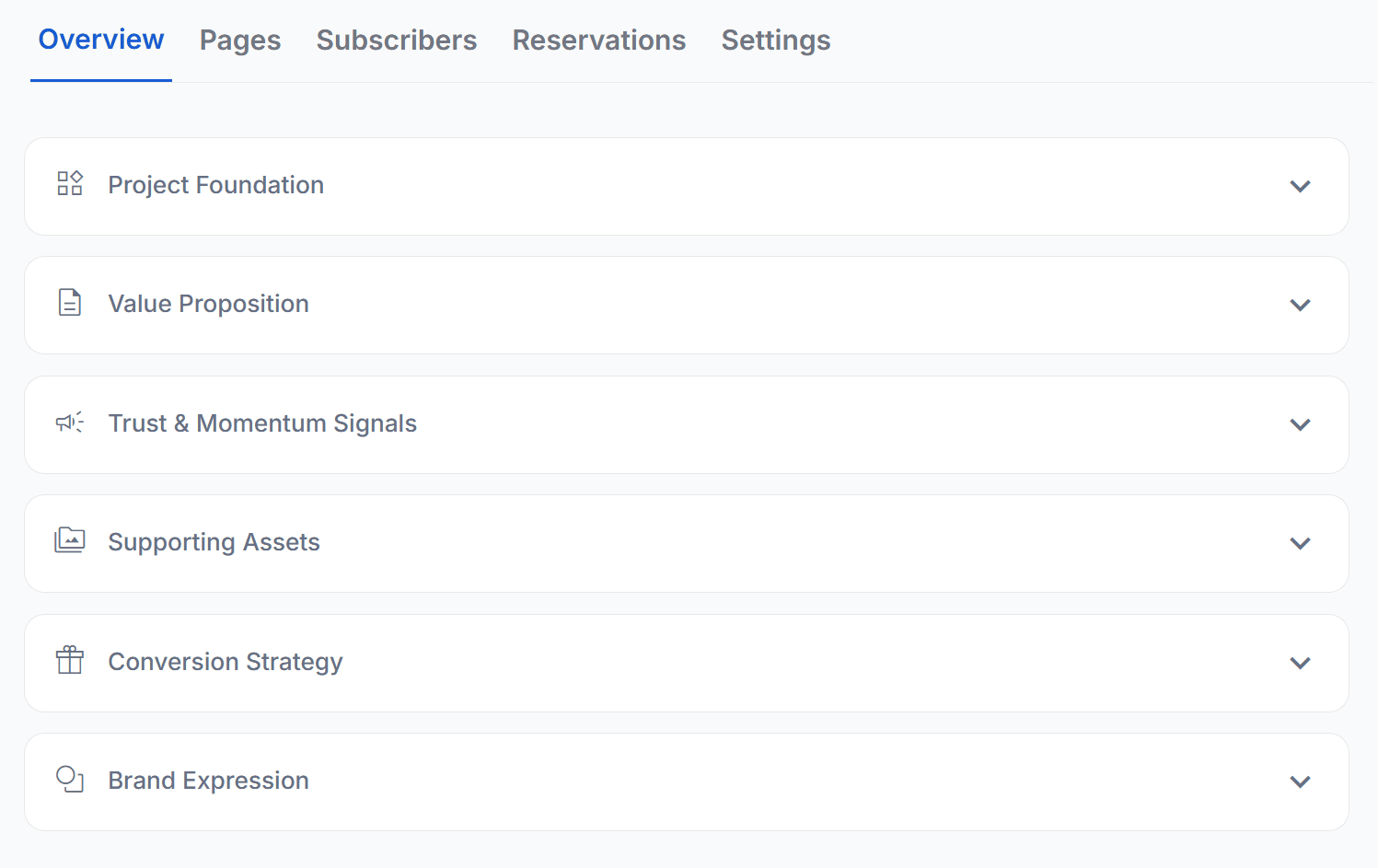 |
A project's overview on Crowdstake
In my case, I went through the prompts to generate a landing page for an e-book that I'm in the process of releasing. I have to admit, going through the questions was lengthy (about 15-30 minutes), but it was worth it! As the screenshot above shows, everything was taken into consideration before settling on a design and final promotional copy.
Tailored, Custom Branding
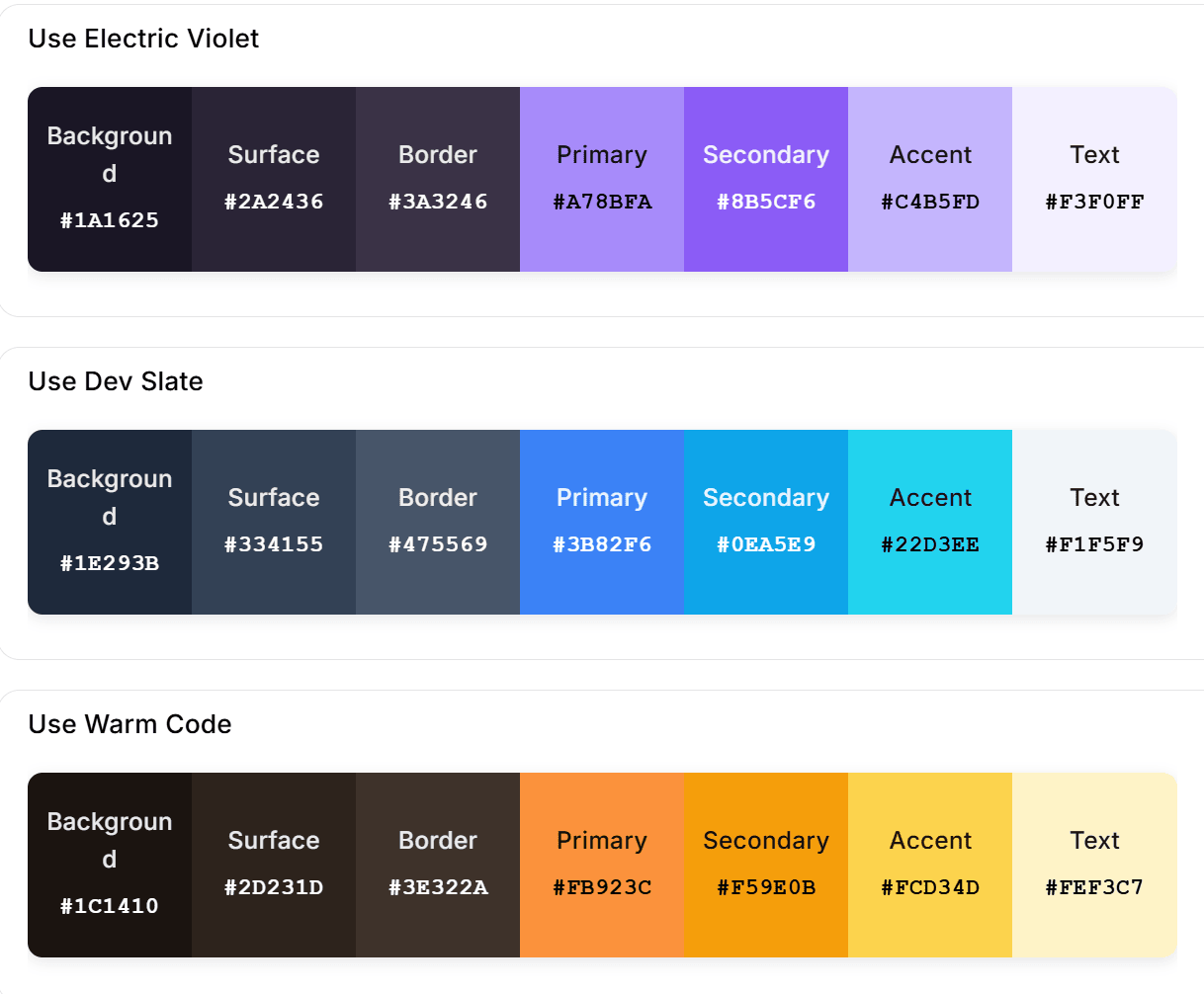
One feature I enjoyed was when going through options for "Brand Expression". There I was given some color palettes to consider as a basis for the landing page's design.
Choosing a branding direction for a landing page in Crowdstake
In this case, I narrowed it down to the "Electric Violet" and "Warm Code" palettes. I went with Electric Violet, which is close to the branding I was looking for.
Crowdstake doesn't offer any prebuilt templates. Everything in the final branding is based on the information you provide to the AI Marketing Consultant. So your landing page is specific to your needs.
Professional Marketing Copy
For the overall page message, I provided a number of details in response to questions from the AI marketer, including how the book would benefit developers, who it was aimed at, what the contents included, what my qualifications are, and so on.
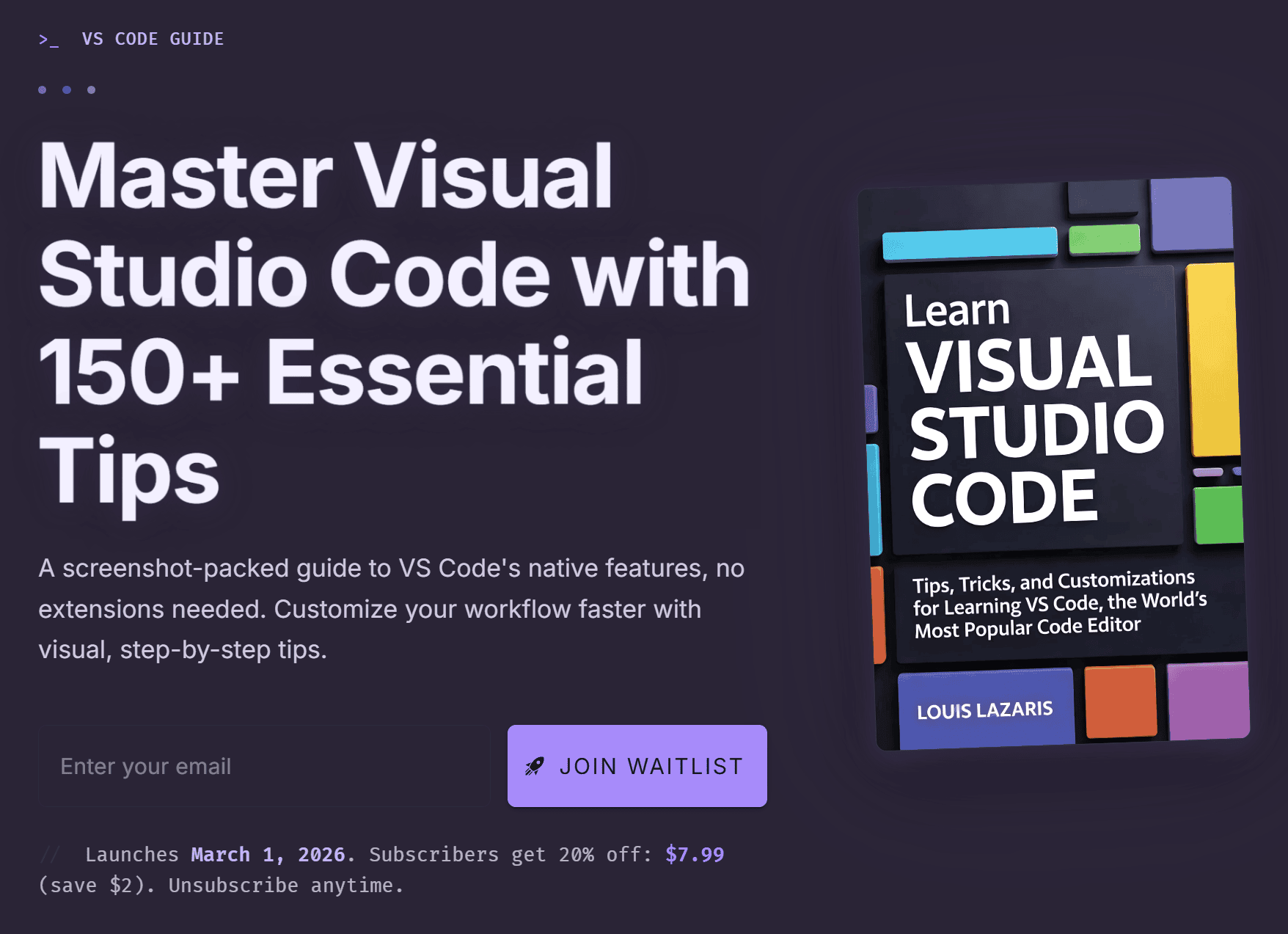
I also added client testimonials, my pricing strategy, some example content, and even a book cover that I had previously generated via AI elsewhere. You can see my generated landing page below.
An e-book landing page generated in minutes via Crowdstake
The user can scroll down the page and view info on why the book is beneficial, example chapter screenshots, and reader testimonials. These were all based on the info that I typed or uploaded to the prompt via attachments.
Working with Projects in Crowdstake
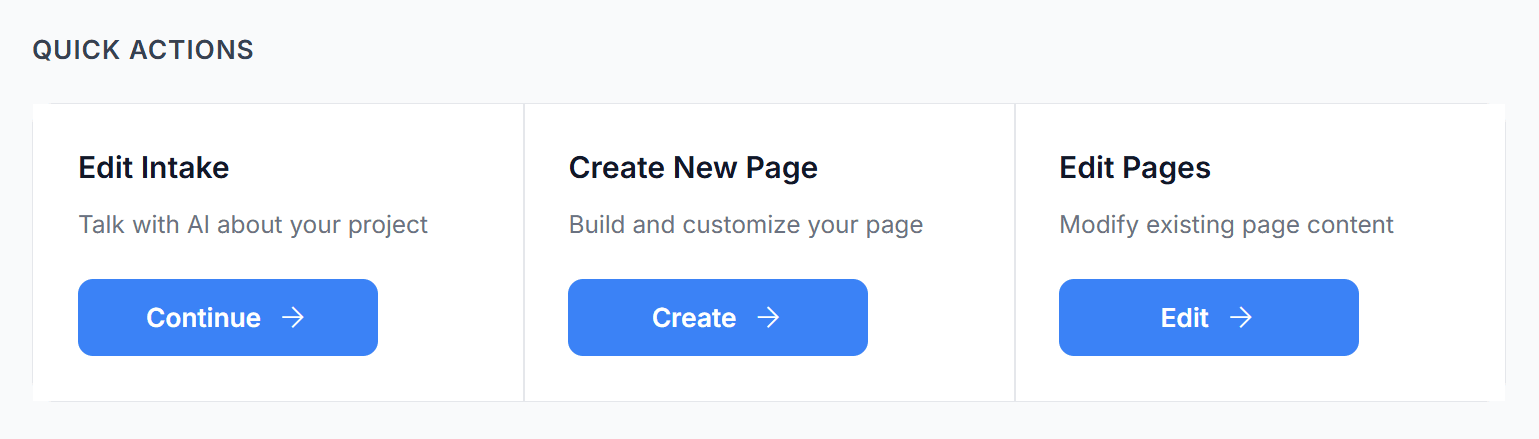
Once you have one or more projects in your Crowdstake dashboard, you'll have the option to go back to your AI conversation to continue where you left off, create a new page within the same project, or edit an existing page (again via AI prompts).
Using Quick Actions for a Crowdstake Project
Pages can be published to a Crowdstake-based URL under the free plan, or you can upgrade to a paid plan for lots more features and a custom domain.
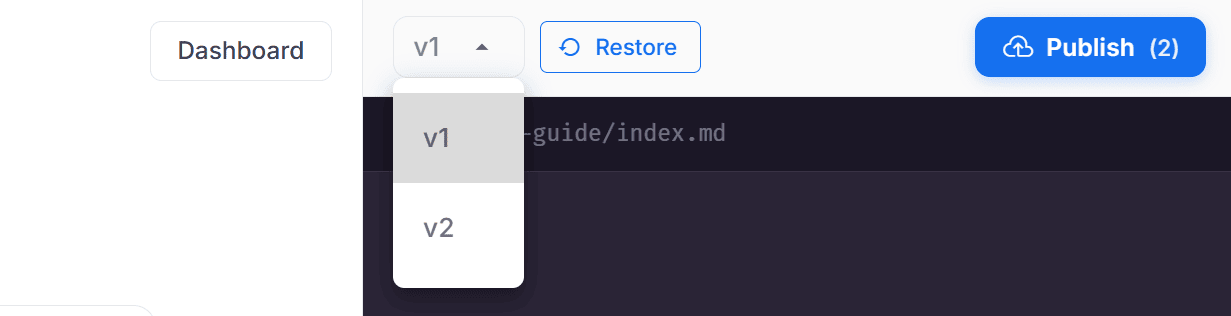
Another nice feature is the ability to refine and improve your existing pages, which then becomes a new 'version' of your page.
Page versions (revisions) in Crowdstake
You then have the option to view the previous version and even revert back to an older version using the "Restore" button (see above).
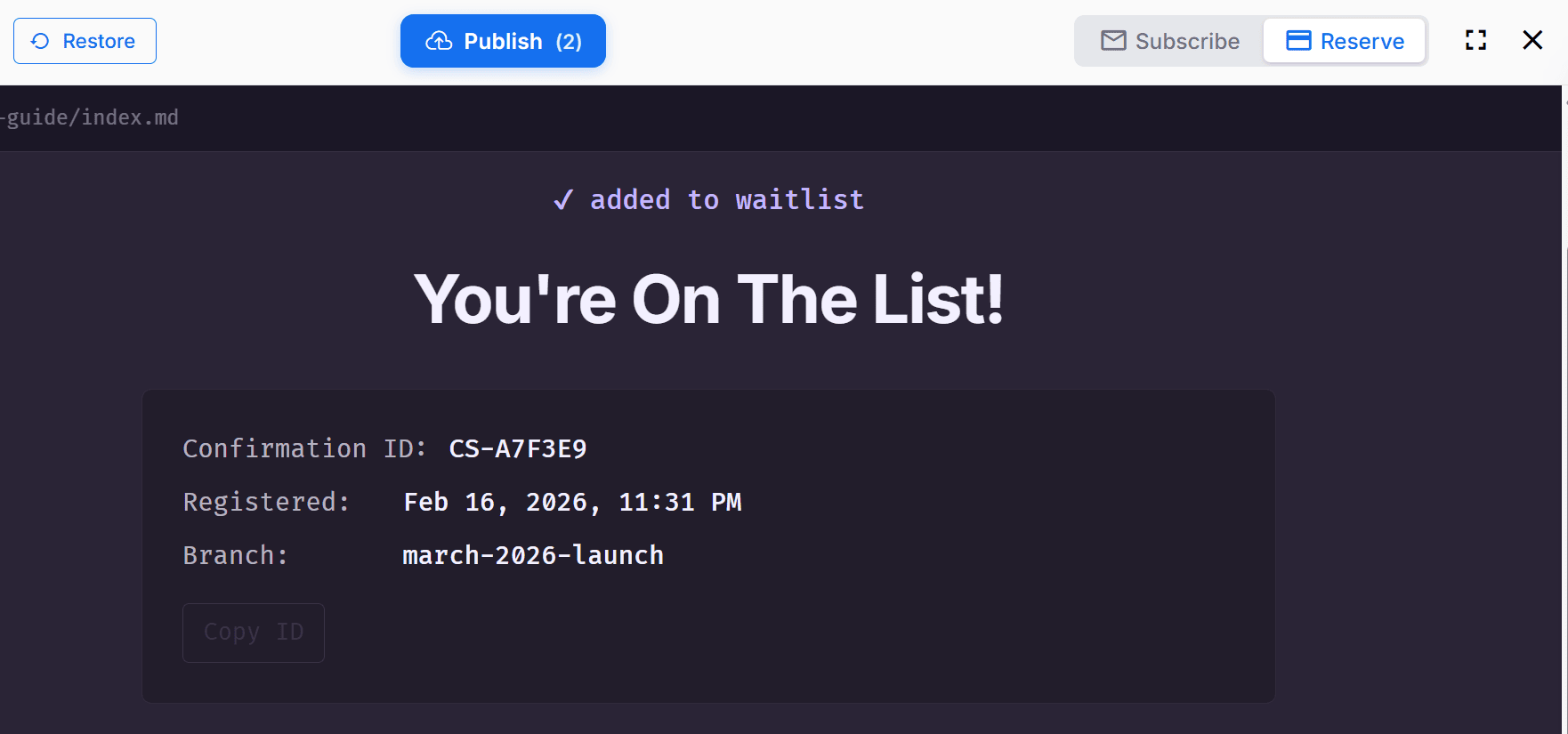
The landing page allows you to view the "Subscribe" version as well as the "Reserve" version. The "Reserve" page is what the user would see after they add their name to the waiting list to be notified of the launch.
A Crowdstake landing page "Reserve" message
The above preview is an example of what my e-book's generated "reserve" page would look like, similar to a thank-you page for subscribing to newsletters. It includes appropriate branding that matches the launch page itself (again, based on the "Electric Violet" theme I selected).
As mentioned, these pages are all customizable and refinable using further AI-powered natural conversations. No need for dragging and dropping components and no need to write any code. Your entire page building and marketing process is bundled into a single workflow, with no outside consultant or expert marketing team required.
One final feature I'll mention is the ability to use A/B testing on your landing pages. That means you can design multiple versions of the same page, then determine how to iterate and move forward based on signups and conversions for each version of the page.
Try Crowdstake Today
In summary, Crowdstake offers a simple and effective platform for generating professional marketing copy along with the necessary tools to generate landing pages, collect email signups, and lock-in pre-payments from your audience.
You can sign up with your Google account or email address to start generating a sample page with no credit card needed. Pricing information on paid plans is available near the bottom of the Crowdstake home page.
Now on to this week's tools!
|
CSS & HTML Tools
ReliCSS — A "CSS hack" detection tool that lets you paste your CSS in and it will help identify and replace outdated browser-specific CSS hacks with modern, standards-compliant alternatives.
Typewriter Web Component — A web component for character-by-character text animation with HTML support, featuring seek functionality for precise navigation through the animation timeline.
Dembrandt — An open source CLI to extract design systems and tokens from any website with a single command, including a CSS to design system converter with W3C design tokens export.
TLDR AI — Keep up with AI in 5 minutes. Get the most interesting AI stories and breakthroughs delivered in a free daily email. SPONSORED
FontGen — A web-based tool that lets you type some text and then choose one of the real fancy text styles to copy and paste.
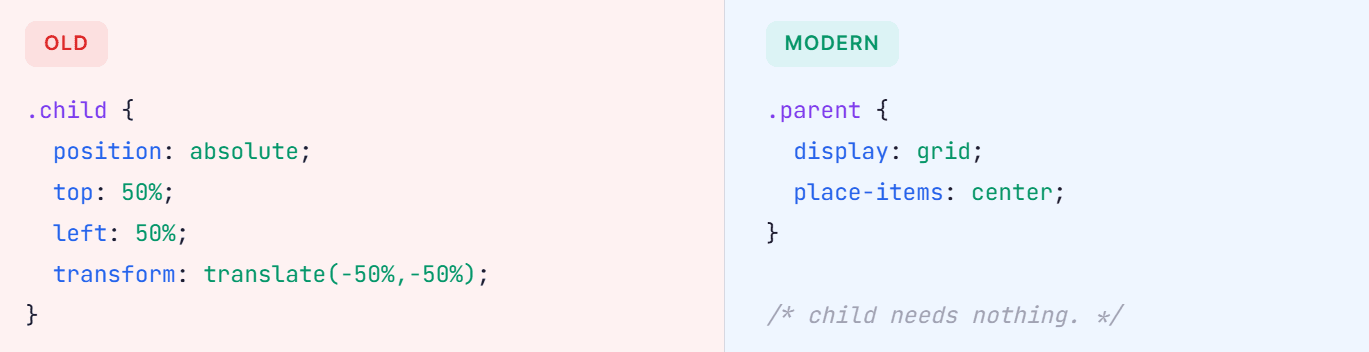
modern.css — A resource that displays modern CSS code snippets side-by-side with the old hacks they replace, useful for getting up to speed with newer, cross-browser techniques.
 |
HTML Minifier Next — A super-configurable, well-tested, JavaScript-based HTML minifier able to handle in-document CSS, JavaScript, and SVG minification.
React Native Tailwind — Compile-time Tailwind CSS for React Native with zero runtime overhead, to transform className props to optimized StyleSheet.create calls at build time using a Babel plugin.
|
Testing & Debugging Tools
fetch-network-simulator — A development-time API request/response network behavior simulator for frontend applications that intercepts the global `fetch` function and simulates real-world instability directly in the browser.
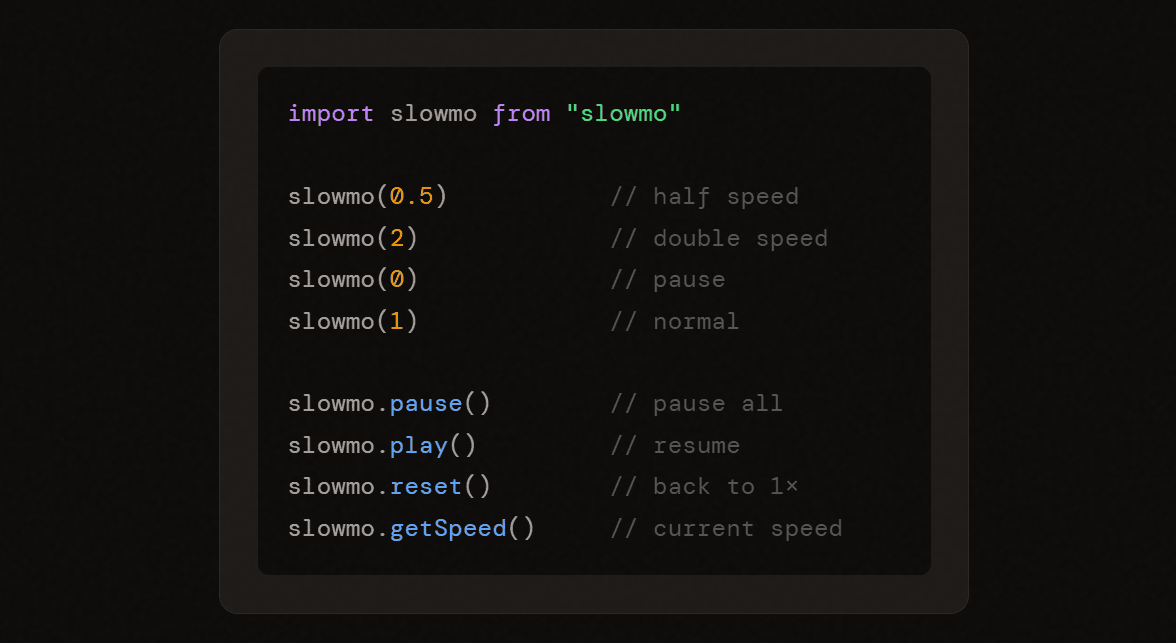
slowmo — A Chrome extension and JS API that enables you to slow down, pause, or speed up time of any web content, so you can debug animations, study cool demos, and make games easier or harder.
Ortoni Report — A comprehensive and visually appealing HTML report generator tailored for Playwright tests that simplifies the process of reviewing and managing test results, making test reporting more intuitive and accessible.
Techpresso — Get a daily rundown of what's happening in tech and what you shouldn't miss, read by 400,000+ professionals from Google, Apple, OpenAI, and more. SPONSORED
Firecrawl Observer — A powerful website monitoring application that tracks changes on websites and sends intelligent notifications, built with Next.js, Convex, and the Firecrawl API.
Page Gym — A simple but powerful web performance testing tool with options to choose a region, desktop vs. mobile, and the tool will display various metrics (CLS, LCP, FCP, etc.) and you can compare URLs to each other.
log-vwer — A plug-and-play toolkit for Node.js developers who are tired of messy console.log statements, to view, search, and filter your application logs in real-time.
godump — A developer-friendly, zero-dependency debug dumper for Go that provides pretty, colorized terminal output of your structs, slices, maps, and more, complete with cyclic reference detection and control character escaping.
|
The $2 Trillion Asset Class You're Missing
While retail investors chase volatile tech stocks, institutions like BlackRock and KKR are quietly allocating billions to private credit—a market that's grown 19x since 2006 and now approaches $2 trillion globally.
Why? Private credit offers what traditional portfolios increasingly lack: consistent yield potential (Percent's marketplace delivered 14.9% average net returns in 2024), lower correlation to public markets, and shorter investment horizons averaging just 9 months.
With Percent, accredited investors can now access the same institutional-quality deals that were once exclusive to the ultra-wealthy. Start with as little as $500 and get up to $500 on your first investment. Invest like the smart money. Access Institutional-Grade Private Credit 🡺
|
Vue Tools
flagsmith-vue — An unofficial Vue integration for Flagsmith (the feature falgs service) that uses the Vue Composition API to dynamically update feature flags and traits in components, compatible with Vue versions 2.7 and 3.
z-vue-scan — A Vue scanning plugin that works with both Vue 2 and Vue 3, that will flash with a red border when components are updating so you can troubleshoot performance issues.
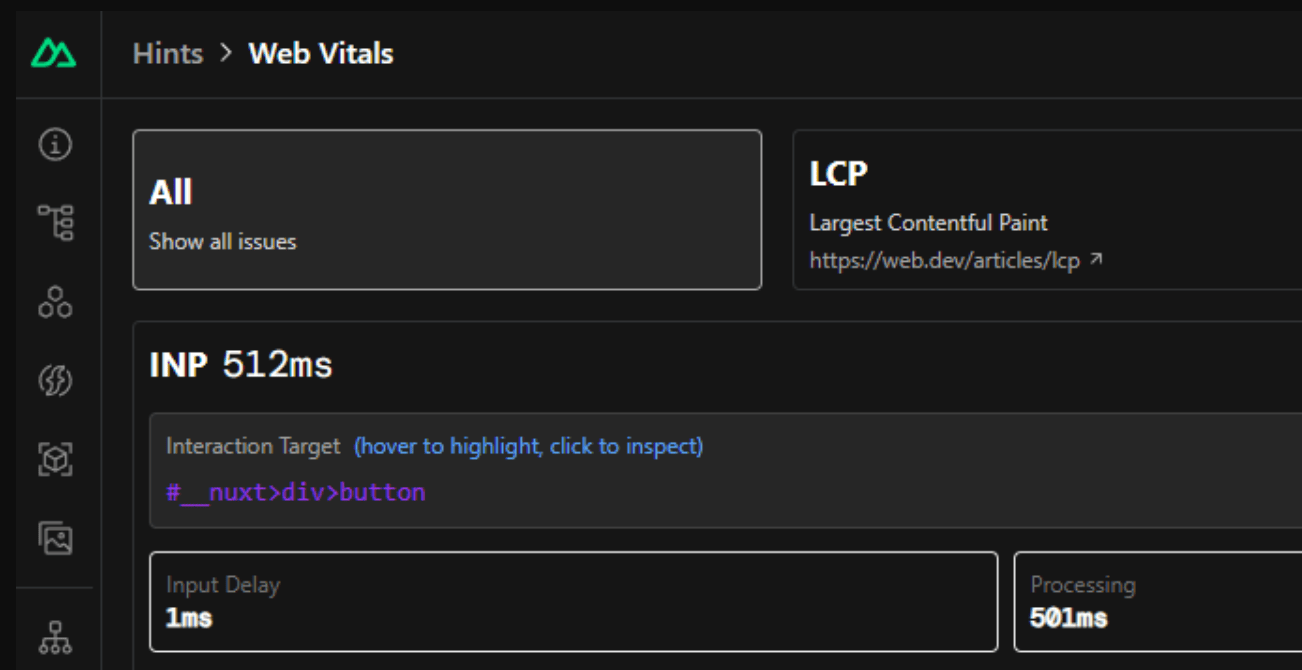
Nuxt Hints — A Nuxt module that provides real-time feedback on your application's performance, accessibility, and security right in your browser.
TLDR Dev — Get smarter about software in 5 minutes. The most important software engineering news in one daily email. Loved by 450,000+ readers. SPONSORED
LiveVue — The missing Vue bridge for LiveView in Phoenix, enabling seamless end-to-end reactivity for Phoenix LiveView and Vue.
EncolaJS Enforma — A Vue 3 form library that renders dynamic forms from JSON schemas, so you can build complex forms with ease using headless components, field validation, and UI framework presets.
Nuxt Glow — A Vue component that adds a mouse-tracing glow effect to Nuxt components, for adding dynamic UI effects to your components and pages.
nuxt-simple-cookie-consent — A simple, headless, and fully customizable cookie consent module for Nuxt 3, built for developers who want full control over styling and behavior, without relying on bloated third-party libraries.
|
|
Commercial Apps & Classifieds
Vue PDF Viewer – A customizable, high-performance Vue PDF viewer component with an exposed API.
|
|
Refind – The best articles, tailored to your interests. Loved by 540,000+ curious minds. AD
|
Once Analytics – Buy-once, self-hosted web analytics for Cloudflare with zero maintenance.
|
|
HexPickr – Color palette extractor that enables precise OKLCH and Tailwind palettes in seconds.
|
Tech Productivity – Tools, tips, and articles on efficiency, brain science, remote work, and more. AD
|
|
html4pdf – Stateless PDF rendering for sensitive data (built for finance, legal, healthcare, etc.)
|
Autify – An AI platform for teams to accelerate and simplify the entire software testing lifecycle.
|
|
|
A Social Post for Thought
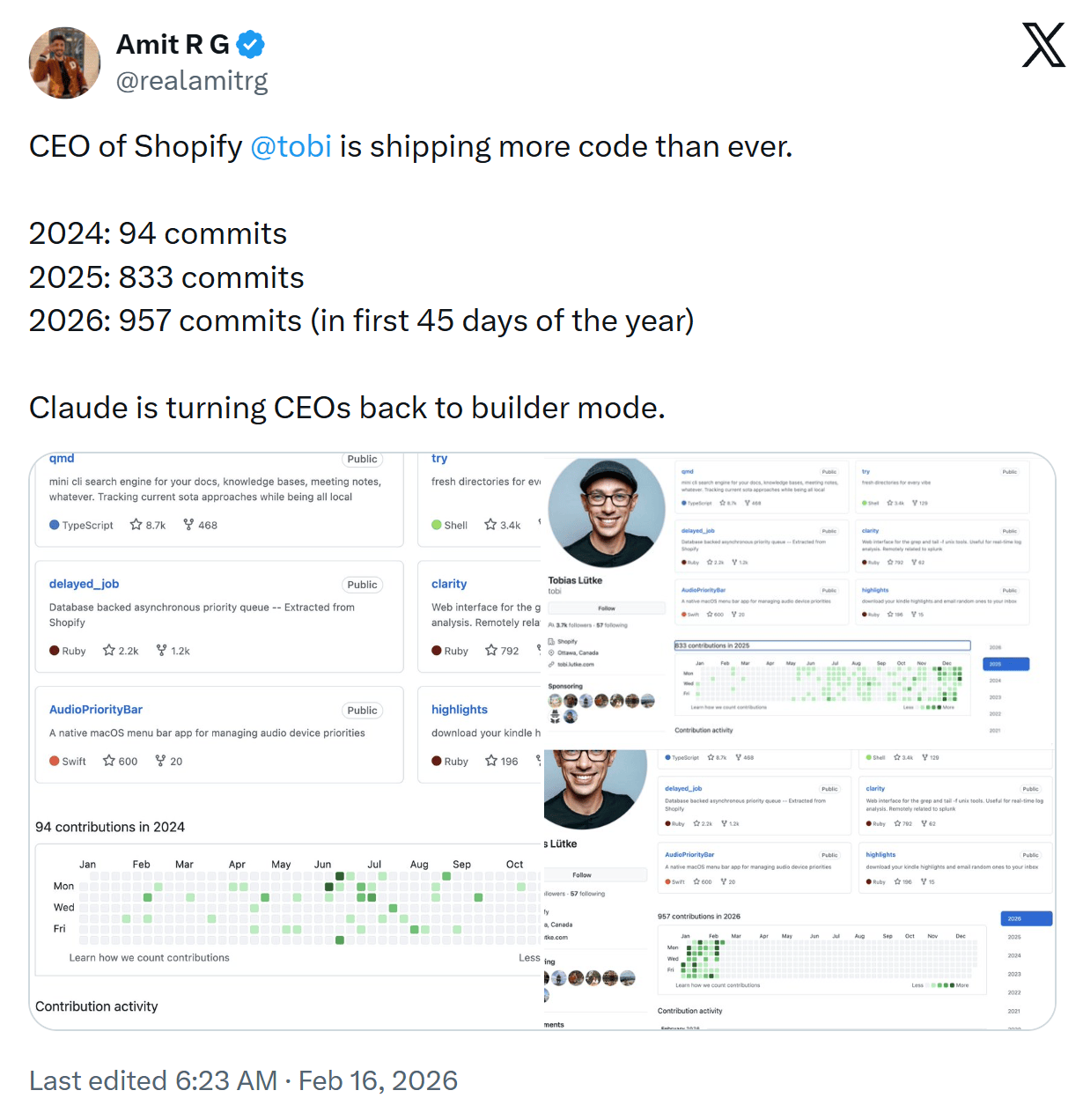
Are CEOs writing code again due to the AI coding boom? Of course, that's assuming that using AI to write code qualifies as writing code (which is why the post says "builder" I suppose).
Send Me Your Tools!
Made something? Reply to this email or send links via Direct Message on X or via chat on Bluesky (details here). No tutorials or articles, please. If you have any suggestions for improvement or corrections, feel free to reply to this email.
Before I Go...
If you miss the days when video games used to come in big boxes, you'll enjoy looking around Big Box Collection, which features photos and info for almost 1000 old games.
Thanks to all for subscribing and reading!
Keep tooling,
Louis
webtoolsweekly.com
@LouisLazaris
|
|
|